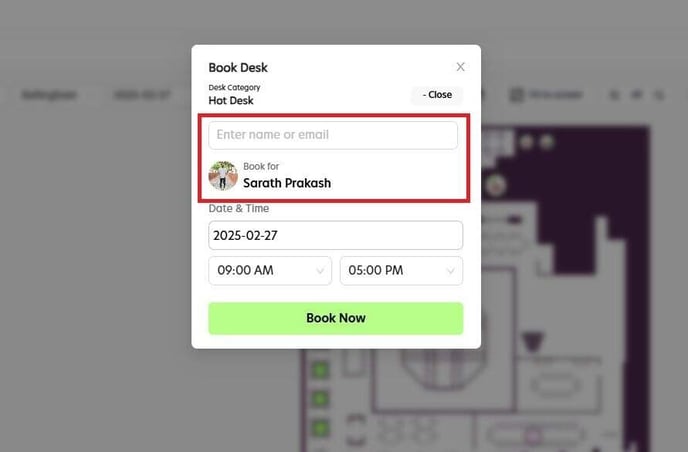
Only admins have permission to book desks for team members. Follow the steps below to complete the booking.
Step 1
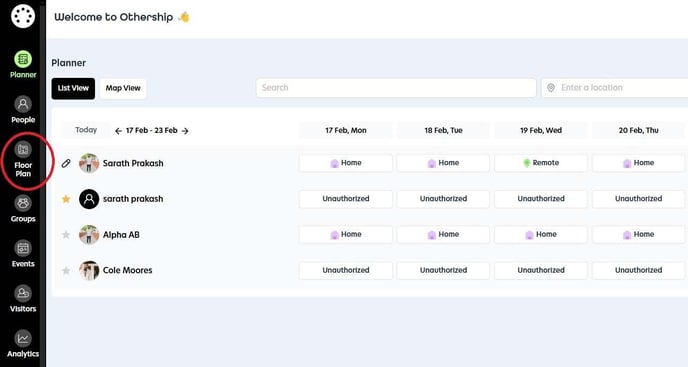
Navigate to the 'Floor Plan' section.
Step 2
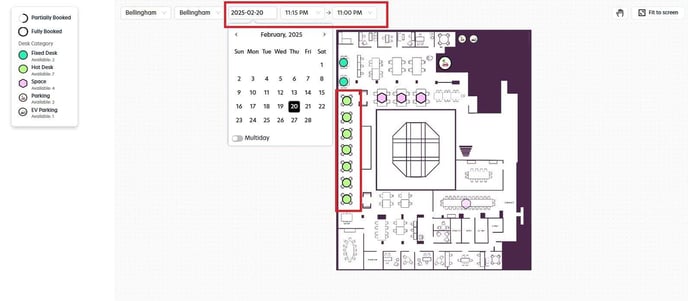
Choose your desired date and time, then select the desk you wish to reserve from the floor plan.
Step 3
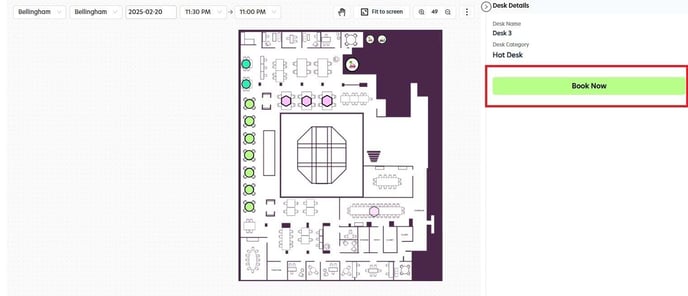
After selecting the desk, click the "Book Now" button.
Step 4
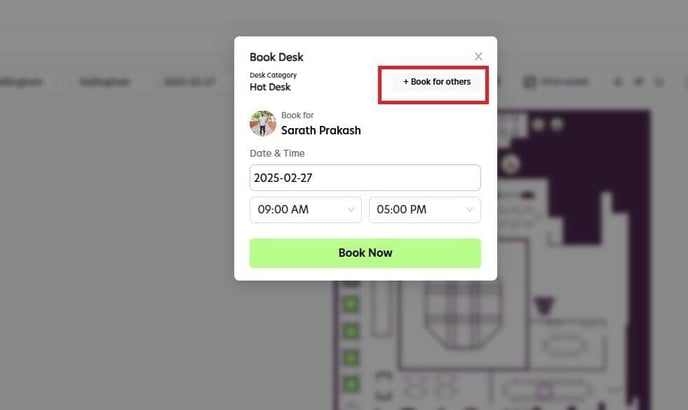
In the pop-up screen, choose the option to "Book for Others."
Step 5
Type in the email address or name of the team member you'd like to book the desk for, then click the "Book Now" button to complete the reservation.