Step 1
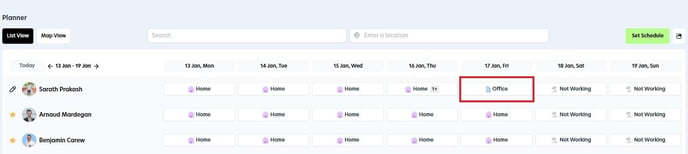
Navigate to the Planner and choose the specific day on which you would like to provide feedback.
Step 2
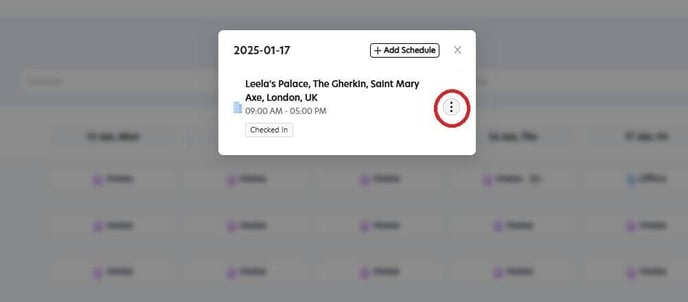
Select the menu button located next to the office's name and details.
Step 3
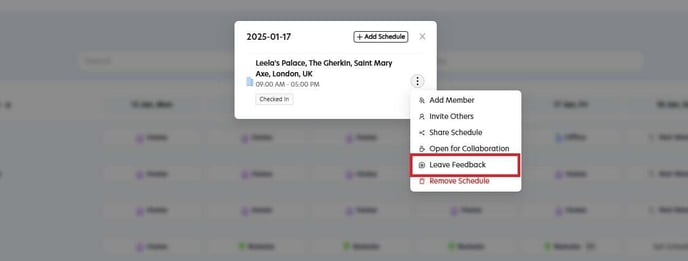
Select the "Leave Feedback" option to submit your comments.
Step 4
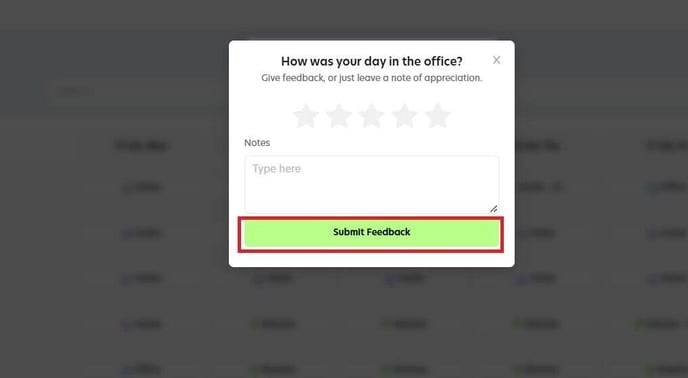
In the pop-up window, you will be able to rate the workspace using a star system and enter your comments in the feedback notes section. Once you have completed your feedback, click the "Submit Feedback" button to send your responses.