You just heard us at Remote Rebellion.
Know how your office is actually used.
Desk booking, meeting rooms, visitors and workplace analytics in one platform, connected to the calendar your team already works in.
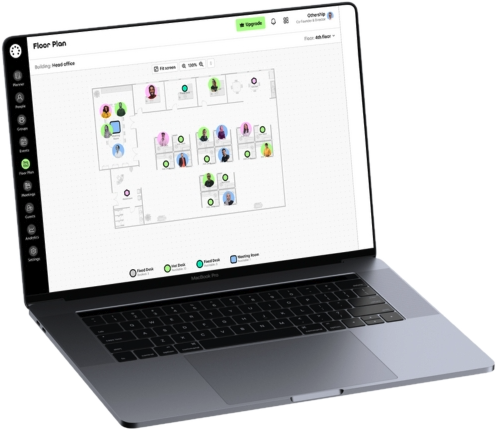
Why teams move to Workplace Manager
Stop paying for desks nobody uses
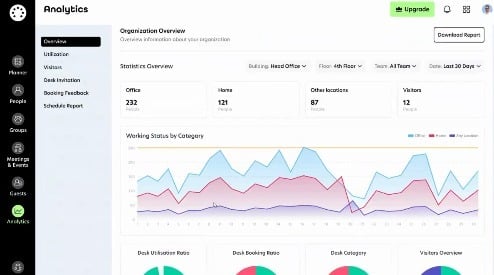
Booking data shows how much of your office is actually used, week by week.
No more “is anyone in today?”
Your team sees who is planning to be in, before they travel in.
See what’s free, right now
Real-time availability for desks and meeting rooms.
Nothing new for your team to learn
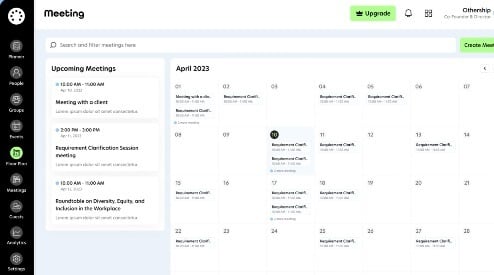
Booking happens in Outlook, Microsoft 365 or Google Calendar.
See it before you book
Two screens do more than four bullet points.
Book a demo during the event
Fifteen minutes. You pick the topic, we show you that part. Your slot is confirmed straight away.
After the call we send you a short write-up of how your team works today, and what we would change first.
- We are on floor 5, booth Othership.
- We will message you in the event chat five minutes before your slot.
- Running late or plans changed? Reply to the invite, we will move it.
15 minutes
Pick a time that suits you
Our calendar opens in a new tab. Choose a slot, and the invite lands in your inbox straight away.
- Bring one thing you want to see — we spend the time on that
- Anyone from your company can join, no approval needed
- A full 30-minute session is available after the event
Cannot make it during the event? The same calendar works afterwards.
Our partners





“Flexible workspace booking that actually works”
“Othership has been a great tool for coordinating hybrid work. It saves time, reduces confusion, and gives me more choice about where I work. Rolling it out on my end was straightforward, and adoption by colleagues has been smooth. It’s been worth the investment for the time saved and the boost in flexibility.”
Gabrielle Angelo D. · Content WriterVerified review on Capterra.
Before you book
How long is the demo?
Fifteen minutes during the event. We spend them on the one thing you pick rather than touring every feature.
Fifteen minutes is not enough. Can we see more?
Yes. After the event one of our consultants runs a full 30-minute demo and answers everything you did not get to on the day. We book it with you at the end of the fifteen minutes.
Do we have to replace the tools we use now?
Booking happens in Outlook, Microsoft 365 or Google Calendar, where your team already plans the week, so there is nothing new for people to learn.
Who should join the call?
Anyone from your company. We are happy to start with whoever is curious, and you do not need approval to talk to us. Afterwards we send a one-pager you can forward, and run the full 30-minute demo with whoever needs to see it: your Head of Workplace or Facilities, office or operations manager, HR and people lead, the finance or property lead who owns the lease, or IT if the calendar side matters.
What happens afterwards?
We send you what we showed, along with a short written view of how your team coordinates today and what we would change first.
What about pricing?
Pricing starts at £4 per seat a month. The platform handles offices of any planning complexity, including parking, meeting rooms and events, so we confirm the exact number once we know how your space is set up.